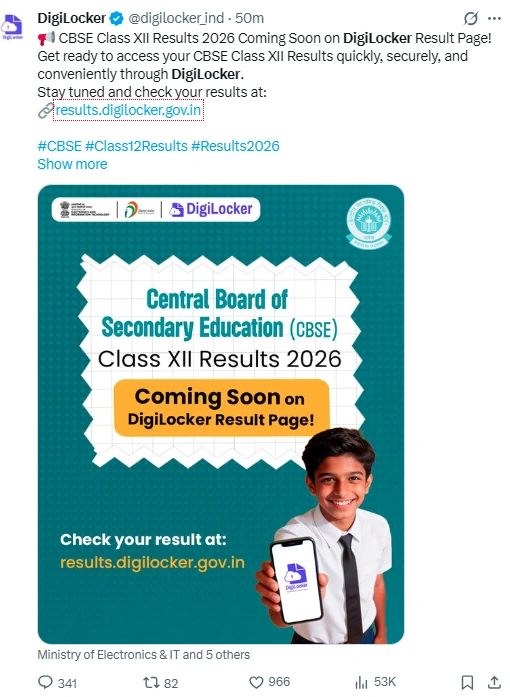
The Central Board of Secondary Education (CBSE) is expected to announce the Class 12 board exam results 2026 shortly, going by the latest update on the DigiLocker portal.
👉 Direct Link: CBSE 12th Result 2026
The update, which shows results 'soon' on DigiLocker, suggests that CBSE result documents are being prepared for release. Going by past trends, CBSE and other board results are usually declared within a couple of days after DigiLocker starts showing result-related notifications or activation messages for students.
Based on this pattern, the CBSE Class 12 results are likely to be announced around Monday, May 11. That said, the Board hasn't issued any official confirmation about the exact date or time yet.
Where to Check CBSE Class 12 Result 2026 Online
Once released, students can access their results through the official CBSE websites, including cbse.gov.in, results.cbse.nic.in, and results.cbse.gov.in.
- cbse.gov.in
- cbseresults.nic.in
- cbse.nic.in
- digilocker.gov.in
- results.gov.in
The digital marksheets will also be available on DigiLocker, just like in previous years. Students can download verified copies of their Class 12 certificates and scorecards directly from the platform.
How to Check CBSE 12th Result 2026? — Easy Steps
Step 1: Visit the official website results.cbse.nic.in or cbse.gov.in
Step 2: Click on the "CBSE Class 12 Result 2026" link on the homepage
Step 3: Enter your Roll Number, School Number and other required credentials
Step 4: Enter the Security PIN and click Submit
Step 5: Your result will appear on the screen
Step 6: Download it and take a printout for immediate use
How to Check Result via UMANG App?
Step 1: Download the UMANG App or visit umang.gov.in
Step 2: Log in using your registered mobile number
Step 3: Go to the Education Services section and select CBSE
Step 4: Choose the Class 12 Result option
Step 5: Enter your Roll Number and required credentials
Step 6: Your result with subject-wise marks will appear on screen
Step 7: Download or save it for future reference
How to Check CBSE Class 12 Result 2026 on DigiLocker
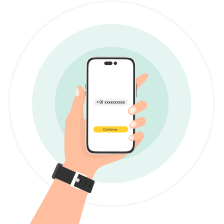
Step 1: Visit results.digilocker.gov.in or open the DigiLocker app.
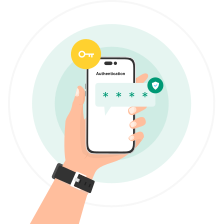
Step 2: Log in using your registered mobile number or Aadhaar-linked credentials.
Step 3: Go to the 'Education' or 'CBSE' section.
Step 4: Select 'CBSE Class 12 Result 2026' or 'Class XII Marksheet.'
Step 5: Enter the required details, such as roll number, school code, and admit card ID.
Step 6: Click on submit to access your digital marksheet.
Step 7: Download and save the result for future reference.
What Details Will the Marksheet Show?
Details on Marksheet
- Student's Name
- Mother's Name & Father's Name
- School Code & School Name
- Subject-wise Marks
- Total Marks Obtained
- Grades & Passing Division
- Result Status — Pass / Fail / Compartment

Download Link
 Scan Me